
Imagine asking your AI assistant to book a flight. It knows the destination and dates, but it doesn't know today's prices or seat availability. That’s because Large Language Models are trained on static data that stops at a specific cutoff date. Without a way to reach out to live systems, they’re stuck guessing. This is where function calling comes in. It acts as a bridge, allowing the model to pause its conversation, send structured data to an external system, get a real-time answer, and then resume talking to you naturally.
In 2026, function calling has moved from a cool experimental feature to the backbone of practical AI applications. If you are building apps that need to check inventory, query databases, or control smart home devices, understanding how to connect your LLM to external APIs is no longer optional-it’s essential.
What Is Function Calling and Why Do You Need It?
At its core, function calling is a method for instructing an LLM to output a specific JSON structure instead of natural text when it detects a user intent that requires external action. Think of it like hiring a brilliant intern who can read any document but needs to call a colleague to get the latest sales figures. The intern (the LLM) understands what information is needed, drafts the request (the function call), waits for the colleague (the API) to reply, and then synthesizes that info into a helpful response.
This capability solves the biggest weakness of traditional chatbots: hallucination regarding facts that change frequently. When OpenAI introduced this feature in 2023, it addressed a fundamental gap. According to their technical reports, using function calling improved task completion accuracy for time-sensitive queries by 47% compared to relying on static training data alone. Today, whether you are using GPT-4 Turbo, Claude 3.5 Sonnet, or Gemini 1.5 Pro, this mechanism allows your application to perform dynamic operations while keeping the user experience conversational.
How the Function Calling Pipeline Works
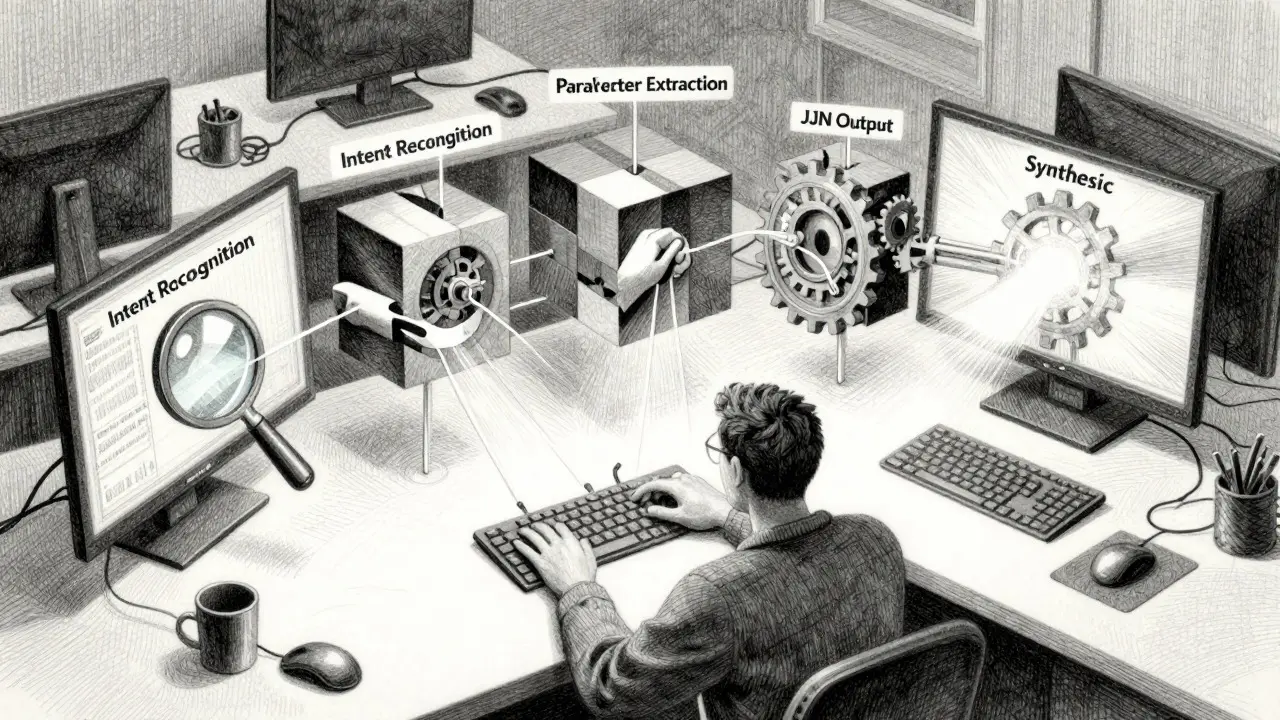
The process isn’t magic; it’s a strict engineering pipeline. Understanding these stages helps you debug issues when things go wrong. Here is what happens behind the scenes every time a user asks a question that triggers a tool:
- Intent Recognition: The LLM analyzes the user’s prompt. Does it want weather info? A database update? If yes, it decides which predefined function matches the intent.
- Parameter Extraction: The model pulls specific arguments from the user’s text. For example, if the user says “Check my balance,” the model might extract the account ID from the session context or ask for clarification if it’s missing.
- JSON Output: Instead of replying with text, the model outputs a structured JSON object containing the function name and the extracted parameters. Crucially, the LLM does not execute the code itself.
- Execution: Your application receives this JSON, validates it against your schema, runs the actual function (like hitting a REST endpoint), and gets the result.
- Synthesis: You send the API’s response back to the LLM along with the original conversation history. The model then generates a natural language summary based on that fresh data.
This loop introduces latency. Expect an overhead of 150-300 milliseconds per function call. While that sounds fast, in high-volume customer service bots, those milliseconds add up. Optimizing this pipeline is often where developers spend most of their time.
Comparing Major Model Implementations
Not all function calling implementations are created equal. Each major provider has taken a slightly different approach to handling schemas, errors, and reasoning. Choosing the right one depends on your specific use case.
| Model Provider | Key Feature | Accuracy on Ambiguous Inputs | Best Use Case |
|---|---|---|---|
| OpenAI (GPT-4 Turbo) | Strict JSON Schema Validation | 88.7% | High-reliability enterprise workflows requiring precise parameter matching. |
| Anthropic (Claude 3.5 Sonnet) | Flexible Parameter Extraction & Tool Chaining | 94.3% | Complex, multi-step tasks where user input may be vague or incomplete. |
| Google (Gemini 1.5 Pro) | Multi-turn Refinement & Tool Grounding | 83.9% (ToolBench Score) | Applications needing deep reasoning over long contexts before acting. |
| Alibaba (Qwen3) | Thinking-Enabled Mode (Reasoning Traces) | 81.4% (ToolBench Score) | Scenarios where transparency and user trust in the decision-making process are critical. |
OpenAI leads in ecosystem integration, boasting over 2,400 third-party tools documented in community repositories. However, its strict validation can lead to higher error rates if your schema isn’t perfectly defined. Anthropic’s Claude excels at understanding ambiguous human language, making it better suited for open-ended customer support scenarios. Google’s Gemini uses a multi-turn refinement process that reduces parameter errors significantly but adds latency. Meanwhile, Qwen3’s unique ability to show its "thinking trace" before making a call has been shown to increase user confidence by 63% in internal tests, which is valuable for regulated industries.

Common Pitfalls and How to Avoid Them
Implementing function calling sounds straightforward until you hit production. Based on developer feedback from platforms like GitHub and Stack Overflow, here are the three biggest headaches you will face-and how to solve them.
1. Silent Failures and Parameter Injection
One of the most dangerous risks is parameter injection. Dr. Percy Liang from Stanford warned that nearly 40% of tested implementations were vulnerable to attacks where malicious users manipulate the JSON arguments to execute unintended actions. Always validate inputs on your server side, never trusting the LLM’s output blindly. Treat the LLM as an untrusted client sending data to your backend.
2. Infinite Loops
If a function fails and returns an error message, the LLM might try to call the same function again with the same bad parameters, creating an infinite loop. To prevent this, implement a `max_turns` limit in your code (usually 5-10 steps). If the limit is reached without success, fall back to a generic error message or escalate to a human agent.
3. Ambiguous User Requests
Users rarely speak in perfect JSON. They say things like "Book me a ticket for later." What does "later" mean? Which ticket? Instead of forcing the model to guess, design your system to handle clarification loops. Allow the LLM to call a "clarify_intent" function that prompts the user for missing details before attempting the main action.
Security Considerations for Enterprise Deployment
As function calling becomes standard-with 78% of businesses incorporating it into customer service solutions by late 2025-security has become paramount. The EU AI Act now requires transparent disclosure when LLMs access external systems. This means your app must inform users when the AI is checking their bank balance versus just chatting.
Furthermore, consider the principle of least privilege. Don’t give your LLM-connected API keys full admin access. Create scoped tokens that only allow the specific actions the function calls need. For example, if the bot only needs to read order status, the API key should have read-only permissions. This limits the blast radius if a parameter injection attack succeeds.
Future Trends: What’s Next for Tool Use?
The landscape is evolving rapidly. In late 2025, OpenAI released enhanced adaptive parameter validation that reduced error rates by 32%, while Anthropic introduced automatic tool chaining, allowing models to sequence multiple API calls without human intervention. We are also seeing the rise of "self-correcting" function calls, where the model automatically retries failed invocations with adjusted parameters.
Looking ahead to 2026 and beyond, expect standardized tool marketplaces and stricter regulatory frameworks. The goal is clear: moving from brittle, hand-coded integrations to robust, self-healing AI agents that can reliably interact with the digital world. For developers, mastering the nuances of schema design and error handling today will position you well for this next generation of autonomous applications.
Does the LLM actually execute the function code?
No. The LLM only outputs a structured JSON object describing which function to call and what arguments to use. Your application code receives this JSON, executes the actual function (e.g., hitting an API), and sends the result back to the LLM.
Which model is best for function calling?
It depends on your needs. OpenAI’s GPT-4 Turbo offers the largest ecosystem of pre-built tools. Anthropic’s Claude 3.5 Sonnet handles ambiguous user inputs more accurately. Google’s Gemini 1.5 Pro is strong for complex, multi-step reasoning tasks. Choose based on whether you prioritize ecosystem size, input flexibility, or reasoning depth.
How do I prevent infinite loops in function calling?
Implement a maximum turn limit (e.g., 5-10 iterations) in your application logic. If the LLM keeps calling the same failing function, stop the loop after the limit is reached and return a fallback error message or escalate to a human operator.
Is function calling secure?
It can be, but it introduces new attack surfaces like parameter injection. Always validate all inputs on the server side, use scoped API keys with least-privilege permissions, and never trust the LLM’s output implicitly. Regulatory guidelines like the EU AI Act also require transparency about when external systems are accessed.
What is the typical latency overhead of function calling?
Expect an additional 150-300 milliseconds per function call due to the round-trip between the LLM, your application, and the external API. This can add up in multi-step workflows, so optimize your API responses and consider parallel execution where possible.


