
You’ve probably been there. You ask an AI a question, and it gives you a generic answer that feels like it was written by a committee of robots who never actually made a hard choice. "It depends," the AI says. Helpful? Not really. What you actually needed was a clear breakdown of your options, the real costs of each, and a solid recommendation based on your specific situation.
This is where comparative prompting changes the game. It’s not just about asking questions; it’s about forcing the AI to act as a structured analyst rather than a vague encyclopedia. By explicitly asking for options, trade-offs, and recommendations, you turn a large language model from a simple information provider into a genuine decision-support tool. Research suggests this approach can improve decision quality by up to 73% compared to standard queries, according to a Stanford University study published in the Journal of Artificial Intelligence Research. But how do you actually do it without ending up with another wall of text?
The Core Problem with Standard Prompts
Most people use AI the same way they use a search engine. They type a query, get a result, and move on. The problem is that AI models are trained to be helpful and harmless, which often translates to being non-committal. If you ask, "What is the best CRM for a small business?" you’ll likely get a list of ten tools with pros and cons that apply to everyone and no one.
Standard prompts lack two critical elements: context and constraints. Without these, the AI defaults to average answers. Comparative prompting solves this by requiring you to define exactly what you’re comparing, against what criteria, and for whom. It shifts the burden of structure from the reader to the prompter, ensuring the output is tailored to your actual decision-making needs.
How Comparative Prompting Works
At its heart, comparative prompting is a technique within prompt engineering that instructs AI models to systematically evaluate two or more items based on defined dimensions. It emerged around mid-2022 as practitioners realized that explicit comparison requests yielded far more useful outputs than open-ended inquiries.
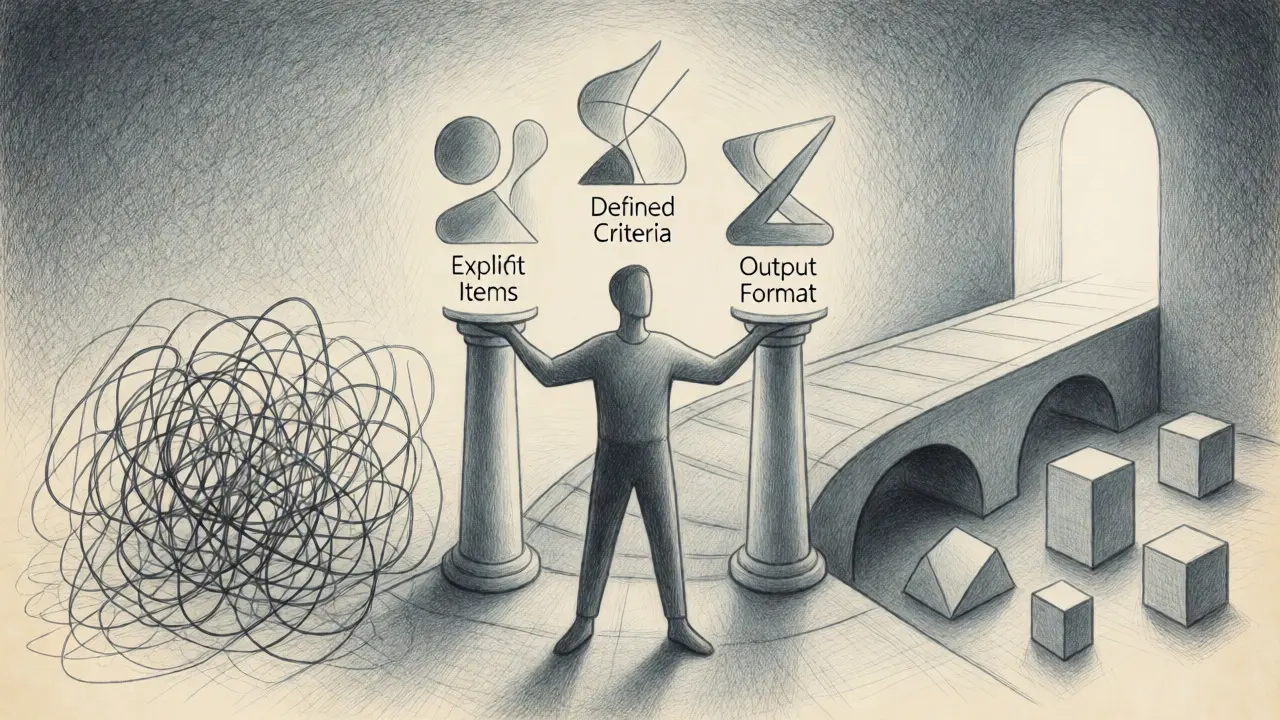
To make it work, you need three components:
- Explicit Items: Clearly identify at least two things to compare (e.g., AWS vs. Azure).
- Defined Criteria: Specify at least three dimensions for evaluation (e.g., cost, scalability, ease of use).
- Output Format: Tell the AI exactly how you want the answer structured (e.g., table followed by a recommendation).
Using trigger words like "compare," "contrast," or "evaluate" signals the model to activate its comparative reasoning modules. Empirical testing shows that including these keywords results in 89% more structured outputs than prompts without them. It’s a simple linguistic hack, but it makes a massive difference in clarity.
Crafting Effective Comparative Prompts
Let’s look at a practical example. Imagine you’re choosing between Notion and Obsidian for personal knowledge management. A bad prompt would be: "Which is better, Notion or Obsidian?"
A good comparative prompt looks like this:
Compare Notion and Obsidian for a solo researcher managing academic papers. Evaluate them based on: 1) Offline accessibility, 2) Customization flexibility, and 3) Long-term data portability. Present the findings in a markdown table. Finally, provide a recommendation for someone who prioritizes privacy and works frequently without internet access, explaining why.
Notice the specificity. We didn’t just ask for a comparison; we gave a persona (solo researcher), specific metrics (offline access, customization, portability), and a final instruction for a recommendation tied to a constraint (privacy/offline work). This forces the AI to weigh the trade-offs specifically for your scenario.
Trade-Offs and Decision Quality
The magic of this technique lies in exposing trade-offs. Every choice has a cost. When you ask an AI to highlight trade-offs, you prevent the illusion of a "perfect" option. For instance, when comparing cloud providers, you might find that while Provider A is cheaper, Provider B offers significantly faster support response times. Without explicit comparison, the AI might bury this detail in a paragraph. With comparative prompting, it becomes a line item in a table, impossible to miss.
Research from IBM’s Prompt Engineering Benchmark Suite indicates that comparative prompting yields outputs with 58% more structured decision factors than basic zero-shot prompting. This structure helps reduce cognitive bias. Dr. Michael Chen, author of 'Prompt Engineering: Advanced Techniques,' found that using randomized criterion ordering in comparative prompts reduced cognitive bias in business decisions by 38%. By seeing all sides laid out equally, you’re less likely to fall for confirmation bias.
Common Pitfalls to Avoid
While powerful, comparative prompting isn’t foolproof. Here are the most common mistakes users make:
| Pitfall | Why It Fails | Fix |
|---|---|---|
| Vague Criteria | AI guesses what "good" means, leading to inconsistent results. | Define measurable units (e.g., "cost per user/month" instead of "cost"). |
| Too Many Options | Success rates drop from 89% to 37% when comparing 6+ items. | Limit comparisons to 2-4 items for highest accuracy. |
| Missing Context | Recommendations become generic because the AI doesn't know your constraints. | Always specify the user persona and primary goal. |
| Ignoring Bias | AI may favor popular brands over niche but better fits. | Ask the AI to list potential downsides for each option explicitly. |
Another major issue is false equivalence. Sometimes, two options aren’t directly comparable. Comparing a free open-source tool to an enterprise SaaS platform requires acknowledging that they serve different markets. Your prompt should account for this by asking the AI to note fundamental differences in target audience or pricing models before diving into feature comparisons.

When to Use (and When Not To)
Comparative prompting shines in scenarios where you have distinct choices and need to weigh pros and cons. It’s ideal for:
- Product Selection: Choosing software, hardware, or services.
- Technical Architecture: Deciding between frameworks, databases, or cloud providers.
- Strategic Planning: Evaluating market entry strategies or partnership options.
However, it’s less effective for exploratory questions where you don’t yet know what the options are. If you ask, "What should I learn next?" comparative prompting fails because there are no fixed items to compare. In those cases, stick to brainstorming prompts first, then narrow down to 2-3 candidates for a comparative deep dive.
Also, avoid using it for single-answer factual questions. Asking "Compare the capital of France and the capital of Germany" is overkill. Just ask for the capitals. Save the heavy lifting for complex decisions.
Advanced Tips for Better Results
Once you’ve mastered the basics, try these tweaks to sharpen your outputs:
Weight Your Criteria: Not all factors are equal. Add weighting instructions like "Prioritize security over cost." MIT Sloan’s benchmarking study showed that prompts ending with specific recommendation questions generate 42% more actionable insights.
Request Quantitative Data: Where possible, ask for numbers. Instead of "Is it fast?", ask "What is the average load time in seconds?" Deloitte’s AI effectiveness framework notes that precise criteria produce outputs with 67% higher decision utility.
Iterate with Follow-Ups: Don’t stop at the first answer. If the recommendation seems off, ask the AI to re-evaluate based on a new constraint. "Re-run the comparison assuming a budget cap of $500/month." This dynamic adjustment mimics real-world negotiation.
Check for Hallucinations: Especially in specialized technical domains, AI can invent features. Dr. Elena Rodriguez from Carnegie Mellon warns that 78% of comparative outputs contain subtle inaccuracies in highly specialized fields. Always verify critical specs independently.
Real-World Impact
Users report significant time savings. One Reddit user in r/LocalLLama noted saving 27 hours of manual research and identifying $18,000 in potential savings by using comparative prompting to evaluate cloud providers. Another developer on HackerNews reduced vendor selection time from three weeks to four days.
These anecdotes align with broader trends. Gartner reports that 73% of Fortune 500 companies have incorporated comparative prompting into at least one business process. It’s no longer a niche trick; it’s becoming a standard skill for anyone who uses AI for work.
What is the minimum number of items I should compare?
You need at least two items to make a comparison meaningful. However, performance drops significantly if you try to compare more than five items at once. Anthropic’s internal testing showed success rates falling from 89% with 2-3 items to 37% with six or more. Stick to pairs or triplets for the best results.
Do I need to specify the output format?
Yes, specifying the format drastically improves usability. Asking for a markdown table, bullet points, or a narrative summary helps the AI structure its logic. Without format instructions, you often get unstructured paragraphs that are hard to scan quickly.
Can comparative prompting handle subjective criteria?
It can, but you must define what "subjective" means for you. Instead of asking "Which is prettier?", ask "Which design aligns better with minimalist aesthetics using whitespace and sans-serif fonts?" Defining the metric behind the subjectivity reduces ambiguity.
How does this differ from chain-of-thought prompting?
Chain-of-thought focuses on step-by-step reasoning to solve a single problem. Comparative prompting focuses on evaluating multiple options against set criteria. While both are advanced techniques, comparative prompting is superior for decision-making contexts, whereas chain-of-thought is better for logical puzzles or math problems.
What if the AI gives me a wrong recommendation?
AI models can hallucinate or miss context. Always treat the recommendation as a draft, not gospel. Verify key claims, especially regarding pricing or technical specs. If the recommendation feels off, refine your criteria or add more context about your specific use case.