Most developers hate writing documentation. It feels like a tax on your time, something you do only when a release is looming or a new hire asks why the build fails. But what if you could generate a solid README, a clear Architecture Decision Record (ADR), or helpful code comments in under an hour instead of days? That’s exactly what prompting for docs allows you to do. By using Large Language Models (LLMs) with specific instructions, you can turn vague ideas into structured technical assets. This isn’t about letting AI guess; it’s about giving it the right context so it writes what you actually need.
The practice has grown rapidly since 2023. According to data from BetterDocs, 68% of technical writers now use AI in their workflows. However, most people just ask for "a readme" and get generic fluff. The difference between useful output and useless noise lies in how you structure your prompts. Here is how to master the three main types of documentation: READMEs, ADRs, and comment annotations.
Generating High-Quality README Files
A README is the front door of your project. If it’s confusing, users leave. Traditional tools like Sphinx or JSDoc are great for API references but often struggle with the narrative flow of a project overview. LLMs excel here because they understand human language. To get a good result, you need to define the user's journey explicitly.
Don't just say "write a readme." Instead, specify the target audience and the steps they will take. For example, tell the model: "Write a README for a Python microservice that processes payment webhooks. The audience is backend engineers. Include installation steps, environment variables required, and a curl command for testing."
- Define the Goal: State clearly what the project does in one sentence.
- Set the Audience: Is this for beginners, experts, or external clients?
- List Key Sections: Request specific headers like Installation, Usage, and Contributing.
- Specify Format: Ask for Markdown with code blocks for commands.
One developer at Shopify reported cutting ADR creation time from two hours to twenty minutes by using structured prompts. While that was for ADRs, the same logic applies to READMEs. If you provide the context, the AI handles the boilerplate. You then spend your time verifying the technical accuracy rather than typing out standard sections.
Crafting Effective Architecture Decision Records
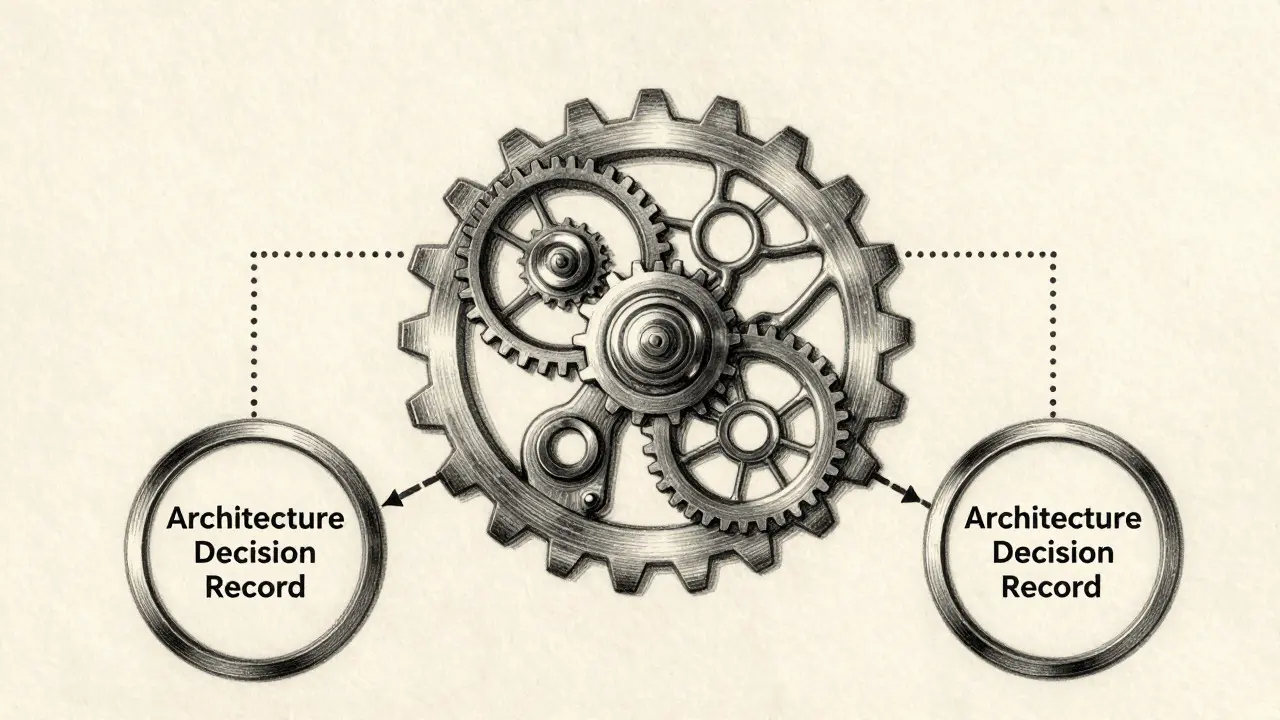
ADRs are harder to generate because they require reasoning, not just description. An ADR documents *why* a team chose a specific technology or pattern over others. If you ask an AI to "document our choice of PostgreSQL," it might give you a generic list of PostgreSQL features. That’s not an ADR; that’s a marketing sheet.
To fix this, use the chain-of-thought technique. Instruct the model to explain its reasoning step-by-step. A study from MIT Sloan found that prompts including "explain reasoning step-by-step" improved ADR quality by 37%. You should also force the model to consider alternatives. Microsoft’s ADR template standard suggests listing at least three options considered.
| Strategy | Effort Required | Quality Outcome | Best For |
|---|---|---|---|
| Zero-Shot (Basic) | Low | Superficial, generic | Drafting initial thoughts |
| Few-Shot (With Examples) | Medium | Structured, consistent | Standard architectural choices |
| Chain-of-Thought | High | Deep rationale, trade-offs | Complex, high-stakes decisions |
Remember, ADRs are critical. A GitHub user named @codearchitect warned that they almost approved a database migration based on an AI-generated ADR that missed critical legacy constraints. Always review ADRs for hidden assumptions. The AI doesn’t know your internal politics or legacy system quirks unless you tell it.
Annotating Code with Intelligent Comments
Code comments often fall into two traps: too many (noise) or too few (confusion). The best comments explain the *why*, not the *what*. The code itself shows what happens; the comment explains why it happens that way.
When prompting for comments, be specific about density. Research suggests one comment per 10-15 lines of complex code is a good rule of thumb. Tell the AI: "Add comments to this function explaining edge cases and non-obvious logic. Do not comment obvious variable assignments."
Few-shot prompting works wonders here. Paste two examples of good comments from your own codebase into the prompt. Show the AI the style you want. According to MIT Sloan, including examples improved comment annotation quality by 52% compared to asking without examples. It takes a bit more time to set up, but the result matches your team’s voice much better.
Common Pitfalls and How to Avoid Them
The biggest issue with AI documentation is hallucination. The model might invent a library version, a configuration flag, or a feature that doesn’t exist. This happens most often when the prompt lacks domain-specific context.
A Google Cloud study found that prompts lacking explicit context led to 41% more inaccuracies in specialized fields. To avoid this:
- Provide Context: Paste relevant snippets of your code or existing docs into the prompt.
- Use RAG: If possible, use Retrieval-Augmented Generation (RAG) to let the AI reference your actual codebase.
- Verify Facts: Never trust AI-generated version numbers or API endpoints without checking them.
- Iterate: Treat the first output as a draft. Refine the prompt based on what went wrong.
Also, watch out for inconsistent tone. If you’re documenting a serious enterprise tool, make sure the prompt specifies a professional tone. If it’s a fun side project, allow for some personality. Consistency across repositories is a major benefit of using standardized prompts, as noted by Cloudflare engineers who used prompt templates to keep their docs uniform.
Tools and Workflows for 2026
You don’t need expensive software to start. Most modern IDEs like VS Code or IntelliJ have built-in AI assistants. JetBrains announced plans to integrate prompt-engineered documentation directly into IntelliJ IDEA 2024.2, making this workflow even smoother.
For teams, consider integrating documentation generation into your CI/CD pipeline. GitLab’s 16.9 release introduced features that allow documentation to regenerate automatically when prompts or code change. This ensures your README stays in sync with your codebase.
Start small. Pick one project and try generating a README. Then move to a single ADR. Finally, apply comment annotations to a tricky module. Measure the time saved versus the editing effort. Most developers find that after 8-12 hours of practice, creating effective prompts becomes second nature.
Is AI-generated documentation accurate enough to publish?
It depends on the type. READMEs are generally safe after a quick fact-check. Code comments need verification against the actual logic. ADRs require the most scrutiny because they involve strategic decisions. Always treat AI output as a strong first draft, not a final product.
What is the best prompt structure for a README?
Include five components: Objective (what doc type), Instructions (specific sections), Tone (technical level), Context (project details), and Response Format (Markdown structure). Providing these elements ensures the AI covers all necessary bases without rambling.
How do I stop the AI from adding unnecessary comments?
Explicitly instruct the model to only comment on non-obvious logic, edge cases, or business rules. Add a constraint like "Do not comment on simple variable declarations or standard loops." Few-shot examples of sparse commenting also help guide the density.
Can I use AI for Architecture Decision Records in large enterprises?
Yes, but with caution. Enterprise teams use AI for ADRs at a 63% adoption rate according to Forrester. However, you must provide deep context about organizational constraints and legacy systems. Use chain-of-thought prompting to ensure the rationale is logical and complete.
Which tools support prompt-based documentation generation?
GitHub Copilot, JetBrains AI Assistant, and standalone LLM interfaces like ChatGPT or Claude all work well. For automated pipelines, look at GitLab or Jenkins plugins that support custom prompt templates. The key is having a way to store and reuse your best prompts.