Most developers use AI to write functions or fix bugs. You paste a stack trace, ask for a regex pattern, or request a unit test. These tasks work because the context is small and contained. But when you ask an AI to design a system-how services talk to each other, where data lives, how the app scales-the results often feel generic. The AI gives you a "confident" answer that misses your team's constraints, your budget limits, or your legacy code reality.
This gap exists because standard prompting fails at scale. A debugging prompt needs a few lines of error logs. An architecture-aware prompt requires visibility into the entire system shape. It needs to know your user counts, your team’s skill levels, your compliance rules, and the historical reasons why certain decisions were made in the past. Without this deep context, even the smartest models produce flawed designs.
The Context Gap in AI-Assisted Design
Why is designing with AI so hard compared to coding with it? The difference lies in the volume of necessary information. When you review code, you look at a diff. When you debug, you look at a trace. When you architect, you must hold the whole picture in your head.
Research from developer communities highlights that architecture-aware prompting is the most challenging domain for AI interaction. The contextual requirements are exponentially larger than other domains. If you ask an AI to "design a scalable backend," it will give you a textbook answer involving microservices, Kubernetes, and event-driven architectures. That might be wrong for your startup with three developers and a tight deadline. It might be disastrous for your fintech app needing strict audit trails.
The core principle here is simple but counterintuitive: the quality of the AI's output is bounded by the quality of the context you provide, not the cleverness of your question. A mediocre prompt paired with a complete stack trace yields useful fixes. A brilliant prompt paired with vague architectural context yields confident-sounding nonsense. To get better designs, you have to stop asking better questions and start providing better context.
Structuring the Perfect Architecture Prompt
Effective architecture prompts follow a consistent three-part structure. This isn't about magic words; it's about forcing the AI to think like a senior engineer who understands your specific constraints.
- The Context Block: This is the heavy lifter. It contains all the facts about your system. Don't summarize vaguely. Be specific. Include user counts, data volumes, geographic distribution, team composition (number of devs, time zones, skill levels), business constraints (budget, market timing, GDPR/HIPAA compliance), existing tech stack, and performance targets (latency, throughput).
- The Narrow Question: Instead of "How should I build this?", ask "Given these constraints, what are the trade-offs between using a monolithic database versus sharding for our read-heavy workload?" Narrow the scope to prevent rambling.
- The Output Structure: Tell the AI exactly how to format the answer. Ask for a table of pros/cons, a list of failure modes, or a sequence diagram description. This prevents the dreaded "it depends" response that adds no value.
For example, instead of asking "What's the best database?", you provide a context block stating you have 10 million daily active users, low-latency requirements for real-time chat, and a team of two junior developers. Then you ask, "Compare PostgreSQL vs. Cassandra for this specific scenario, focusing on operational overhead for a small team." The result shifts from generic advice to actionable strategy.
Decomposition Before Technology Selection
One of the biggest mistakes teams make is letting AI pick technologies before defining components. This leads to tool bias-choosing a shiny new framework before understanding the problem.
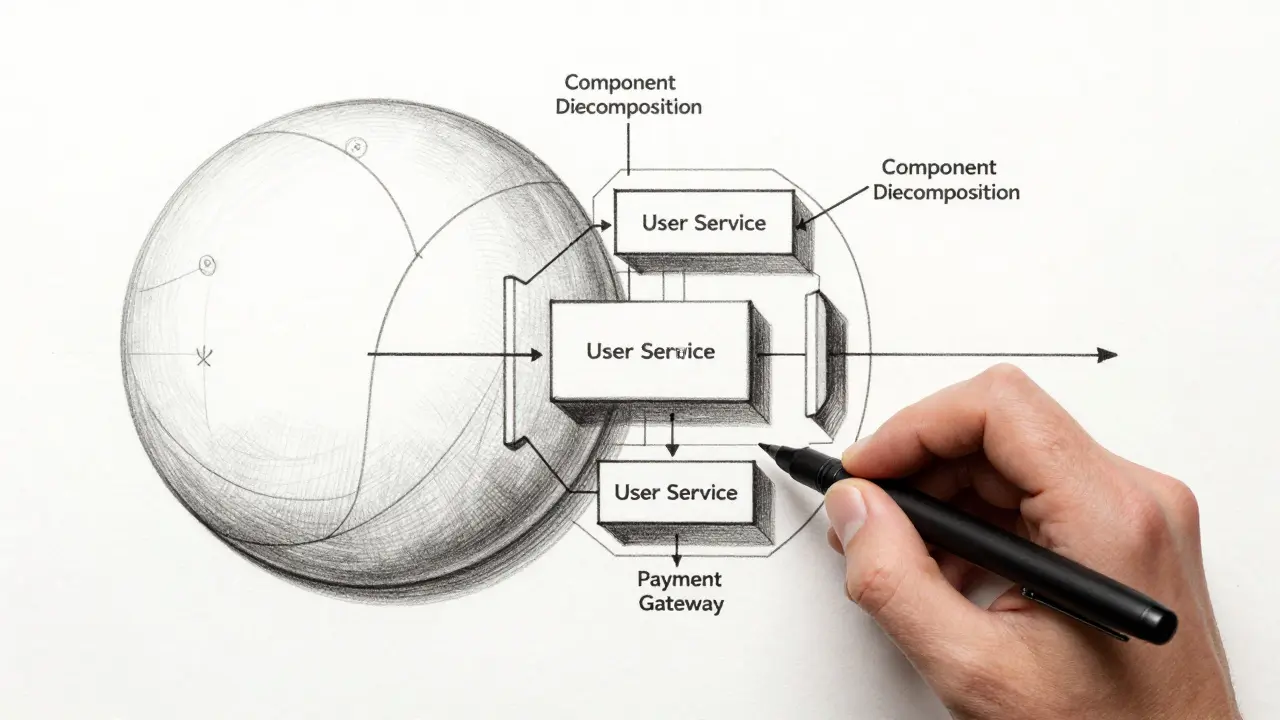
Successful architecture-aware prompting forces component decomposition first. You guide the AI to break down vague requirements into independent modules based on responsibilities, not technology. Once you have a clear map of components (e.g., User Service, Payment Gateway, Notification Engine), you can then prompt for API contracts between them.
This sequential approach reverses typical development patterns. Usually, devs pick a stack and force-fit problems into it. With architecture-aware prompting, you establish architectural contracts before implementation begins. This ensures that if you switch from Python to Go later, the interface remains stable because the component boundaries were defined logically, not technologically.
Verification Prompting: The Multi-Agent Review
Generating code is one thing; ensuring it fits together securely and cleanly is another. A powerful technique documented by experts like Chris Lema is verification prompting. This involves using a single prompt to instruct the AI to break into multiple specialized sub-agents that review the generated design or codebase from different perspectives.
In a notable case study, an AI generated approximately 30,000 lines of code in seven hours. Afterward, a verification prompt was used to spawn three virtual experts: a security analyst, a code quality reviewer, and an architectural layer specialist. The security agent reviewed the code as if a junior developer had written it, looking for vulnerabilities. The architectural agent checked for layer violations. Together, they identified 88 previously undetected issues.
You can apply this to design phases too. After generating a high-level architecture, prompt the AI to act as a DevOps engineer and critique the deployment complexity. Then, act as a Data Engineer and critique the storage schema. This multi-perspective review catches blind spots that a single pass would miss.
| Aspect | Standard Prompting | Architecture-Aware Prompting |
|---|---|---|
| Context Provided | Minimal (code snippet, error log) | Comprehensive (system constraints, team skills, business goals) |
| Primary Goal | Solve immediate syntax/logic issue | Prevent systemic design failures |
| Output Format | Free-form text or code block | Structured tables, ADRs, trade-off analyses |
| Risk Management | Reactive (fix after breakage) | Proactive (identify ambiguity and failure modes early) |
| Human Role | Code reviewer | Context curator and decision validator |
Flagging Ambiguity as a Feature
Good architects know when they don't know enough to decide. Bad AI outputs pretend to know everything. Architecture-aware prompting turns ambiguity flagging into a deliberate feature.
When you describe your system requirements to the AI, explicitly ask it to identify gaps in your thinking. Add a line to your prompt: "List any assumptions you are making and any missing information required to finalize this design." This transforms the AI from a design generator into a requirements clarification tool.
If the AI flags that your latency targets conflict with your chosen consistency model, you’ve saved weeks of rework. You discover incomplete thinking before architectural decisions solidify into code. This approach prevents the implementation of confident but flawed assumptions by making uncertainty explicit.

Tools and Platforms for Architectural Guidance
While any large language model can benefit from these techniques, some platforms excel due to their reasoning capabilities. Claude has emerged as a particularly effective platform for architecture-aware prompting. Its ability to handle long context windows allows you to paste entire README files, existing API docs, and previous Architecture Decision Records (ADRs) into the prompt without losing coherence.
Specialized prompt collections exist to teach AI systems to think in terms of modular architecture. For instance, prompts derived from lectures on architecting large software projects focus on four key principles:
- Black Box Interfaces: Defining clean APIs between modules so internal changes don’t ripple outward.
- Replaceable Components: Ensuring modules can be understood and rewritten independently.
- Constant Velocity: Prioritizing new code writing over legacy maintenance.
- Single Responsibility: Assigning one module to one logical concern (and ideally one developer).
These principles help the AI avoid creating tightly coupled spaghetti code disguised as microservices. By embedding these constraints in your prompt, you guide the AI toward sustainable, maintainable designs.
Limitations and Human Expertise
It is crucial to understand that architecture-aware prompting does not eliminate the need for human expertise. In fact, it requires more of it upfront. You need sufficient architectural knowledge to structure the prompt correctly. If you cannot articulate your constraints, the AI cannot respect them.
AI can generate confident but incorrect recommendations even with good prompts. It lacks true intuition about organizational politics, unspoken business risks, or the subtle cultural fit of a technology within your team. Your role shifts from "coder" to "context curator" and "decision validator." You must evaluate whether the AI's recommendations align with realities not fully captured in the text prompt.
Next Steps for Implementation
To start using architecture-aware prompting today, begin with your next major feature or service design. Draft a context block that includes your current tech stack, team size, and specific business constraints. Use a structured prompt to decompose the feature into components before selecting tools. Finally, use verification prompting to stress-test the design against security and scalability concerns.
As you refine this process, document successful prompts in a shared repository. Over time, you’ll build a library of context templates tailored to your organization’s specific patterns, making architectural decision-making faster, safer, and more collaborative.
What is the main difference between standard prompting and architecture-aware prompting?
Standard prompting focuses on narrow tasks like fixing bugs or writing snippets, requiring minimal context. Architecture-aware prompting provides comprehensive system context-including constraints, team skills, and business goals-to guide high-level design decisions and prevent systemic failures.
Why is context more important than the question itself in architecture prompting?
AI models are trained on general patterns. Without specific context about your system's scale, constraints, and history, they default to generic, textbook answers that may not fit your reality. The quality of the output is directly limited by the completeness of the context provided.
How can I use AI to identify flaws in my software design?
Use verification prompting. After generating a design, ask the AI to adopt multiple expert personas (e.g., security engineer, DevOps specialist) and critique the design from those specific perspectives. This helps uncover hidden vulnerabilities and operational complexities.
Should I let AI choose my technology stack?
Not initially. Best practice is to perform component decomposition first, defining logical modules and their responsibilities. Only after the components are clearly defined should you prompt the AI to recommend technologies for each specific component, preventing tool bias.
Does architecture-aware prompting replace senior architects?
No. It amplifies their effectiveness. Humans must still curate the context, validate the AI's recommendations against organizational nuances, and make final decisions. The AI acts as a thinking partner and risk identifier, not a replacement for judgment.


