
You type a prompt into Cursor or Replit Agent, hit enter, and watch as an AI generates a fully functional feature in seconds. This is the promise of vibe coding, a development style where you act as the director rather than the line-by-line coder. It feels magical until week six. Suddenly, your app is a tangled mess of circular dependencies, leaked business logic, and frontend-backend confusion that no one remembers how to fix.
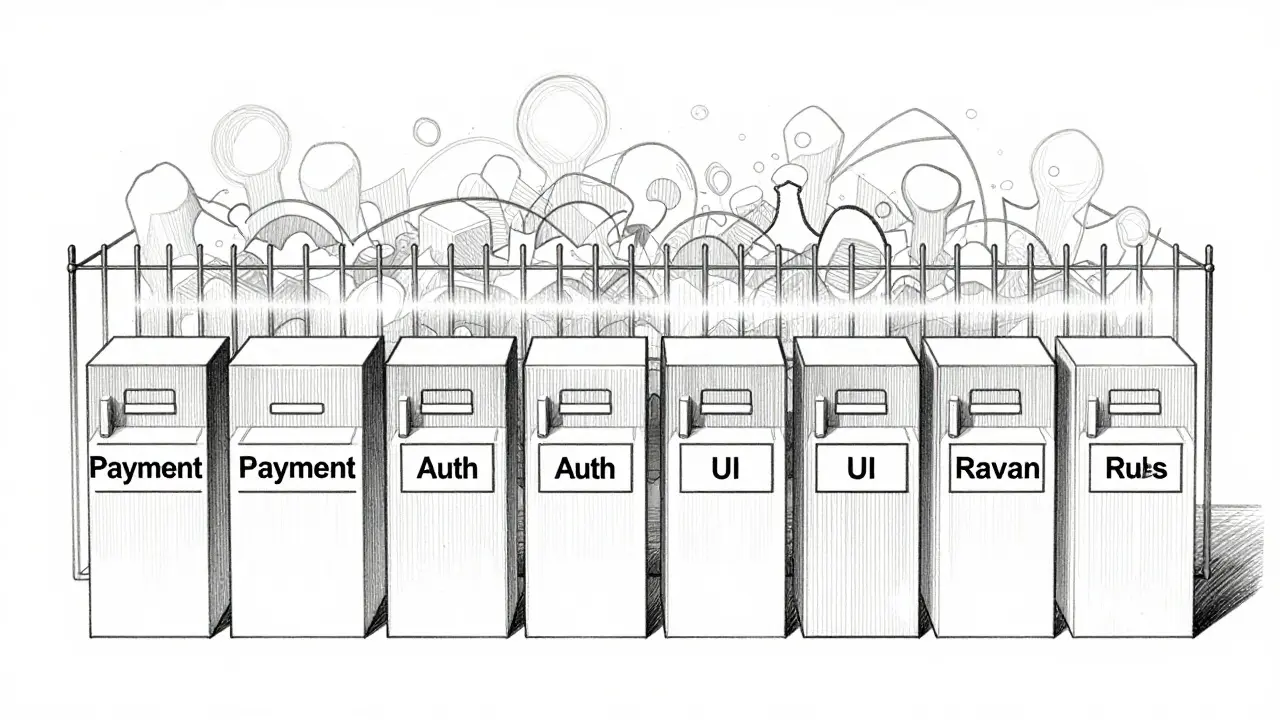
The speed advantage of vibe coding evaporates when architectural debt accumulates. Without guardrails, AI agents make structural decisions based on pattern matching, not design intent. The result? "Black box architectures" that are impossible to maintain. This is where automated architecture lints come in. They are the invisible fence keeping your AI-generated code from wandering off into technical chaos.
Why Vibe Coding Breaks Traditional Architecture
To understand why you need these tools, you have to look at how vibe coding works. When you ask an LLM to "build a budget tracker," it pulls from billions of lines of public code. It prioritizes making things work over making them structured. It might put database queries directly in a React component because it saw that pattern somewhere online. In traditional development, a senior engineer would catch this in code review. In vibe coding, you often don't read the code at all-you just trust the output.
This creates a specific type of risk. Dr. Sarah Chen, Principal Architect at Microsoft, calls these "black box architectures." The structure emerges from the AI's training data, not from your intentional design. You get a working app, but the layers are blurred. Backend logic leaks into the frontend. Domain models become entangled with UI components. After a few months, adding a new feature requires untangling a knot that wasn't there before.
The core problem isn't that the AI writes bad code-it writes *fast* code. But fast code without architectural boundaries becomes expensive code very quickly. Cloudflare’s analysis showed that rework costs jump by 40% in unlinted vibe-coded projects after just eight weeks. That’s when the fun stops and the debugging begins.
What Automated Architecture Lints Actually Do
Traditional linters like ESLint check for syntax errors, unused variables, and style consistency. They care about the trees, not the forest. Automated architecture lints care about the forest. They enforce high-level rules about how different parts of your system should interact.
Here is what they specifically monitor:
- Layer Enforcement: Ensuring backend services never import frontend UI components, and vice versa.
- Dependency Mapping: Detecting circular dependencies between modules that will cause runtime errors or infinite loops.
- Boundary Validation: Keeping domain-specific logic (like payment processing) isolated from general utility functions.
- Structural Analysis: Verifying that components follow the defined separation of concerns, such as Model-View-Controller patterns.
Unlike standard linters, these tools interpret your natural language prompts alongside the generated code. If you tell the AI to create a "secure payment module," the architecture lint checks if that module actually stays separate from the rest of the app. It bridges the gap between your intent and the AI’s execution.
| Feature | Standard Linter (e.g., ESLint) | Architecture Lint (e.g., ArchUnit for AI) |
|---|---|---|
| Focus | Syntax, style, local logic | System-wide structure, boundaries |
| Detects Circular Dependencies | Rarely | Always |
| Understands Natural Language Prompts | No | Yes |
| Impact on Build Time | Negligible | +12-18% |
| Reduction in Architectural Violations | Low | 73% |
Setting Up Your First Architecture Lint
Getting started doesn’t require a PhD in computer science, but it does take about two to three weeks to master the configuration. The process starts with defining your boundaries. You need to tell the tool what is allowed to talk to what.
Most modern architecture lints use YAML configuration files. You define modules and their permitted dependencies. For example, you might specify that the `PaymentService` module can only communicate with the `Database` layer and the `Security` layer, but never directly with the `UI` layer.
- Define Modules: Identify the major components of your app (e.g., Auth, Billing, Dashboard).
- Set Rules: Write constraints in YAML. Example: `Billing -> Database: Allowed`, `Billing -> UI: Forbidden`.
- Integrate with CI/CD: Add the lint step to your GitHub Actions or GitLab CI pipeline. This ensures every AI-generated commit is checked.
- Connect to IDE: Use VS Code extensions to get real-time feedback while you prompt the AI.
A common mistake beginners make is setting the rules too strict too soon. This leads to false positives-where the linter blocks valid code because the rule was poorly defined. Start permissive. Let the linter run for a week, see what it flags, and then tighten the screws. vFunction’s best practices guide recommends iterating on your rules every sprint.
The Trade-Off: Speed vs. Stability
Adding automated architecture lints slows down your initial development velocity. Expect a 12-18% increase in processing time during the vibe coding workflow. The AI has to wait for the lint check before confirming the code is good. For some teams, this feels like a bottleneck.
But consider the alternative. A fintech startup recently spent $285,000 remediating a security flaw caused by improper data flow between modules. Their architecture lints had failed to detect the issue because the rules were generic. The cost of that failure dwarfed any time saved by skipping lints. IBM’s research shows that while lints slow down early development, they reduce long-term maintenance costs by 35%. You pay a small tax now to avoid bankruptcy later.
There is also a psychological trade-off. Dr. Michael Rodriguez from Stanford University warns that these tools can create "false confidence." Just because the architecture is structurally sound doesn’t mean it solves the business problem effectively. The lint checks if the walls are straight; it doesn’t check if the house is livable. You still need human oversight to ensure the design makes sense.

Real-World Performance and Pitfalls
How well do these tools actually work in production? Data from G2 Crowd shows a 4.3/5 average rating across enterprise reviews. However, user experiences highlight specific pain points. False positives remain the biggest complaint, cited by 32% of negative reviews. If your linter constantly rejects valid code, developers will disable it. This is why tuning your rules is critical.
Integration complexity is another hurdle. 41% of GitHub issues related to vibe-coding lints mention difficulties connecting them to existing CI/CD pipelines. If your team uses a custom build system or legacy infrastructure, getting the lint to run smoothly can be a headache. Make sure your tool supports your stack-whether that’s React, Angular, Node.js, or Django.
Success stories, however, are compelling. A healthcare SaaS company used architecture lints to manage 14 microservices built via vibe coding. By enforcing strict boundaries, they reduced integration time by 63%. The AI could generate features rapidly, knowing the linter would catch any cross-service contamination before it merged.
Future Trends: Multi-Agent Validation
The technology is evolving fast. In January 2026, vFunction released Architect 2.0, which introduced multi-agent validation. Instead of one linter checking everything, specialized AI agents verify different aspects simultaneously. One agent checks security boundaries, another checks performance implications, and a third checks compliance with regulatory standards like PCI DSS 4.0.
Look out for real-time feedback in Q2 2026. Imagine typing a prompt and seeing a red warning icon appear instantly if the proposed code violates your architectural rules. This shifts the lint from a post-hoc checker to a proactive guide. By 2027, Gartner predicts 85% of enterprises will adopt these tools, making them as standard as spell-checkers in word processors.
The trajectory is clear: vibe coding is here to stay, but so is the need for structure. Automated architecture lints are the bridge between chaotic creativity and sustainable engineering. They allow you to enjoy the speed of AI without sacrificing the integrity of your software.
Do architecture lints replace code reviews?
No. Architecture lints handle structural boundaries and dependency rules, but they cannot assess code quality, readability, or business logic effectiveness. Human code reviews are still essential for catching subtle bugs and ensuring the solution meets user needs.
Which tools support vibe coding architecture lints?
Popular options include ArchUnit for AI, VibeLint (open-source), and integrated features in platforms like GitHub Copilot Architect. These tools integrate with Cursor, Replit Agent, and standard CI/CD pipelines like GitHub Actions.
How much do architecture lints slow down development?
Expect a 12-18% increase in processing time during the coding phase. However, this upfront cost reduces long-term maintenance expenses by approximately 35% by preventing architectural debt.
Can architecture lints detect security vulnerabilities?
They can detect structural security issues, such as improper data flow between sensitive modules (e.g., payment processing leaking into public logs). However, they do not replace dedicated security scanners for detecting exploits or vulnerabilities in code logic.
Is it hard to configure architecture lints?
It has a moderate learning curve, taking about 2-3 weeks to master. The main challenge is defining accurate boundary rules in YAML format. Starting with permissive rules and tightening them gradually is the recommended approach.