Most of us treat AI like a magic wish-granter. You type a request, you get an answer. But when that AI is generating code for a government website or drafting content for a high-traffic app, "magic" isn't enough. It needs boundaries. This is where constraints-driven prompts come in.
This approach flips the script on traditional prompting. Instead of asking the model to be creative within vague limits, you feed it hard, non-negotiable rules right from the start. We are talking about specific latency targets, strict token counts, and explicit legal requirements like WCAG 2.1 AA or Section 508 compliance. By baking these constraints into the system instructions, you stop treating accessibility and performance as afterthoughts and start treating them as design foundations.
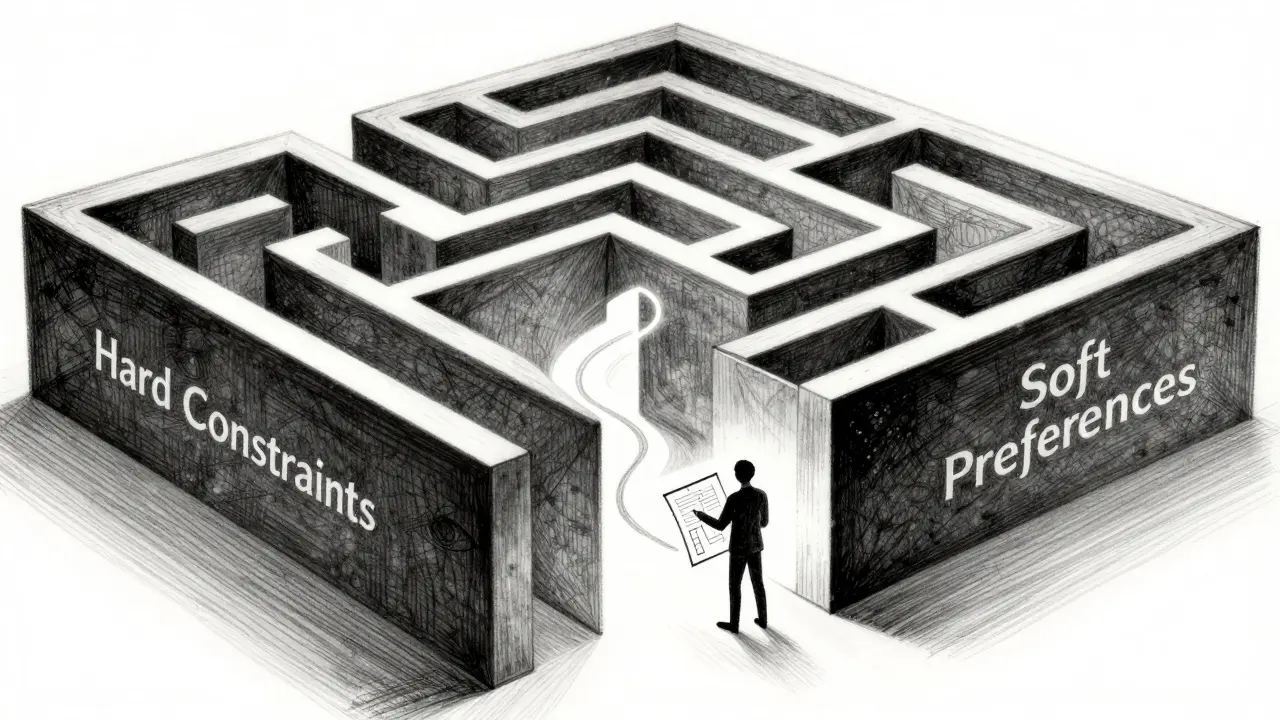
The Core Difference: Hard Constraints vs. Soft Preferences
To make this work, you have to understand the language models speak. They respond best to clear hierarchy. In the world of agentic workflows and advanced prompt engineering, we split instructions into two buckets: Hard Constraints and Soft Preferences.
Hard Constraints are the walls of your maze. The agent cannot cross them. If it does, the plan fails. These require imperative language. Use words like MUST, REQUIRED, SHALL, and MUST NOT. For example, "The output MUST contain valid HTML."
Soft Preferences are the shortcuts through the maze. The agent should try to take them, but if they conflict with a hard constraint, the preference goes out the window. Use softer verbs here: PREFER, IDEALLY, SHOULD AIM TO. For example, "PREFER using short sentences for readability."
Why does this distinction matter? Because LLMs often hallucinate or prioritize style over substance when instructions are mixed together. When you separate them-putting constraints first-you define the problem space before the model starts dreaming up solutions. Research from APXML’s course on Agentic Workflows highlights that clear, unambiguous constraints reduce misinterpretation significantly compared to open-ended requests.
Setting Performance Budgets for AI Agents
You’ve probably heard of performance budgets in web development. Addy Osmani and the Google Chrome team popularized the idea of capping JavaScript payload sizes (e.g., under 200 KB) to ensure fast load times. Now, we apply that same logic to Large Language Models (LLMs).
An AI performance budget isn't just about speed; it's about cost and resource management. Here is how you translate generic goals into hard numeric constraints:
- Latency Budgets: Don't say "be fast." Say, "95% of responses MUST be generated in under 800 ms of API time." This forces the model to choose simpler reasoning paths or shorter outputs.
- Token/Cost Budgets: Define the ceiling. "Each response MUST consume fewer than 1,500 output tokens." If you know your provider charges $0.015 per 1,000 output tokens, you can calculate exactly what that costs you per interaction.
- Resource Limits: Limit external calls. "The assistant MUST NOT call external tools more than 2 times per user request unless explicitly instructed." This prevents infinite loops or expensive browsing sessions.
Think about GPT-4o. It has a massive context window (128,000 tokens). Just because it *can* read a whole book doesn't mean it *should* process the whole thing for a simple summary question. A tight token budget forces the AI to be efficient, summarizing instead of quoting, which saves money and reduces latency.
| Aspect | Vague Instruction | Constraint-Driven Prompt |
|---|---|---|
| Speed | "Respond quickly." | "Response generation MUST complete in under 800ms." |
| Length | "Keep it short." | "Output MUST be fewer than 300 words or 1,500 tokens." |
| Tool Usage | "Use tools if needed." | "MUST NOT exceed 2 tool calls per turn without explicit user approval." |
| Cost Control | "Be cost-effective." | "Input context MUST stay under 2,000 tokens to maintain sub-$0.05 cost per query." |

Baking Accessibility Rules into Your Prompts
Accessibility is often treated as a QA step at the end of development. That’s too late. With generative AI creating content at scale, one bad prompt can generate thousands of inaccessible pages. To prevent this, you encode legal standards directly into the system prompt.
The primary standard here is WCAG 2.1 Level AA. Published by W3C in June 2018, it includes 78 success criteria across four principles: Perceivable, Operable, Understandable, and Robust (POUR). More recently, the U.S. Department of Justice (DOJ) issued a final rule in April 2024 requiring state and local governments to adhere to WCAG 2.1 AA for web and mobile apps. Similarly, federal agencies must comply with Section 508, updated in 2017, which incorporates WCAG 2.0 AA.
How do you turn these laws into prompt instructions? You reference specific Success Criteria. Don't just say "make it accessible." Try this structure:
- Alt Text Requirement: "For every image tag generated, you MUST provide descriptive alt text compliant with WCAG 2.1 Success Criterion 1.1.1 (Non-text Content). Decorative images MUST have empty alt attributes (alt='')."
- Contrast Ratios: "When suggesting color schemes, ensure the contrast ratio between text and background is at least 4.5:1 for normal text, per Success Criterion 1.4.3."
- Keyboard Navigation: "All interactive elements described in the code MUST be operable via keyboard alone, adhering to Success Criterion 2.1.1."
- Focus Visibility: "Ensure focus indicators are visible and distinct, meeting Success Criterion 2.4.7."
By citing the specific criterion numbers, you give the LLM a concrete target. It knows exactly what "accessible" means in this context. This aligns with guidance from the U.S. Access Board’s Technology Accessibility Playbook, which emphasizes measuring performance against specific KPIs rather than vague goals.
Structuring the Perfect Constraints-Driven Prompt
Order matters. If you bury your constraints at the bottom of a long paragraph, the model might miss them. The most effective structure follows a logical hierarchy:
1. Role Definition
Start by telling the AI who it is. "You are an expert frontend developer specializing in accessible government web portals."
2. Hard Constraints (The Non-Negotiables)
List these immediately after the role. Use headers like `## HARD CONSTRAINTS`. Number them. Keep them concise. ```markdown ## HARD CONSTRAINTS 1. LATENCY: Response MUST be under 800ms. 2. ACCESSIBILITY: Output HTML MUST conform to WCAG 2.1 Level AA. 3. TOKEN LIMIT: Output MUST not exceed 1,500 tokens. ```
3. Soft Preferences (The Nice-to-Haves)
List these next under `## PREFERENCES`. ```markdown ## PREFERENCES 1. TONE: Prefer a friendly but professional tone. 2. READABILITY: Aim for a Flesch-Kincaid grade level of 8-10. ```
4. Task Description
Finally, give the actual task. "Generate a contact form component..."
This structure ensures the model processes the boundaries before it starts generating content. It reduces the risk of the model prioritizing a "friendly tone" over a required "keyboard navigation feature."
Why This Matters for Enterprise and Government
If you are building a hobby project, maybe you don't need this rigor. But for enterprises, healthcare, finance, and government, the stakes are higher. The DOJ’s 2024 rule creates a ticking clock for many public entities to achieve compliance. Using AI to accelerate content creation without constraints risks accelerating non-compliance instead.
Furthermore, performance budgets protect your bottom line. As generative AI adoption grows-with McKinsey estimating potential annual economic impacts in the trillions-uncontrolled token usage can spiral costs out of hand. A prompt that says "summarize this document" might trigger a 5,000-token response. A prompt that says "summarize this document in under 200 words" triggers a 150-token response. That’s a 30x difference in cost and latency.
Implementing this workflow requires a shift in mindset. You move from being a "prompter" to being a "system architect." You assess your current metrics (latency, accessibility audit scores), set realistic budgets based on those baselines, and then embed those numbers into your AI interactions. It takes upfront effort-perhaps a few weeks of assessment and design-but it pays off in predictable, compliant, and cost-effective AI outputs.
Common Pitfalls to Avoid
Even with a solid structure, things can go wrong. Watch out for these common issues:
- Vague Terminology: Avoid words like "fast," "short," or "accessible." Always quantify them. "Fast" is subjective; "under 500ms" is objective.
- Conflicting Constraints: Ensure your hard constraints don't fight each other. For example, demanding "comprehensive detail" while also enforcing a "strict 100-word limit" will confuse the model. Resolve conflicts by prioritizing one as a hard constraint and downgrading the other to a preference.
- Ignoring Model Limits: Know your model’s native capabilities. If you ask a model to perform complex math within a 100ms budget, it might fail regardless of your prompt. Align your budgets with technical reality.
- Lack of Verification: Prompts aren't foolproof. Always pair constraints-driven prompts with automated testing. Use tools like axe-core or Siteimprove to verify that the generated HTML actually meets WCAG standards, and use logging to monitor token usage and latency.
What is a constraints-driven prompt?
A constraints-driven prompt is a structured instruction set for AI models that explicitly defines hard, non-negotiable limits (such as latency, cost, and legal compliance) alongside soft preferences. It ensures the AI operates within specific performance and regulatory boundaries from the start.
How do I set a performance budget for an LLM?
You set a performance budget by defining numeric thresholds for key metrics. Common budgets include latency (e.g., "response under 800ms"), token count (e.g., "max 1,500 output tokens"), and resource usage (e.g., "max 2 tool calls"). These should be stated as hard constraints using imperative language like MUST.
Which accessibility standards should I include in my prompts?
For most web applications, especially in the U.S., you should reference WCAG 2.1 Level AA. For federal projects, include Section 508 (2017 Refresh). For state and local government, refer to the DOJ’s April 2024 Title II web accessibility rule. Always cite specific Success Criteria numbers (e.g., 1.1.1 for alt text) for best results.
What is the difference between hard constraints and soft preferences?
Hard constraints are mandatory rules that the AI must follow, often indicated by words like MUST or REQUIRED. Violating them is considered a failure. Soft preferences are desirable qualities the AI should aim for but can ignore if they conflict with a hard constraint, indicated by words like PREFER or SHOULD.
Do constraints-driven prompts reduce creativity?
They may narrow the range of possible outputs, but they increase reliability and compliance. In regulated industries like government or healthcare, this trade-off is essential. Creativity can still exist within the defined boundaries, particularly in how the AI structures its reasoning or selects phrasing, provided the core constraints are met.
How do I verify that my AI is following the constraints?
You cannot rely solely on the prompt. You must implement automated verification. For accessibility, use tools like axe-core or Siteimprove to scan generated HTML. For performance, monitor API logs for token counts and latency times. Combine prompt constraints with downstream validation checks.